ARK Augmented Reality: How This Powerful AI System Works
An easy guide to the technology, its main features, possible uses, benefits and current limitations.

Introdution
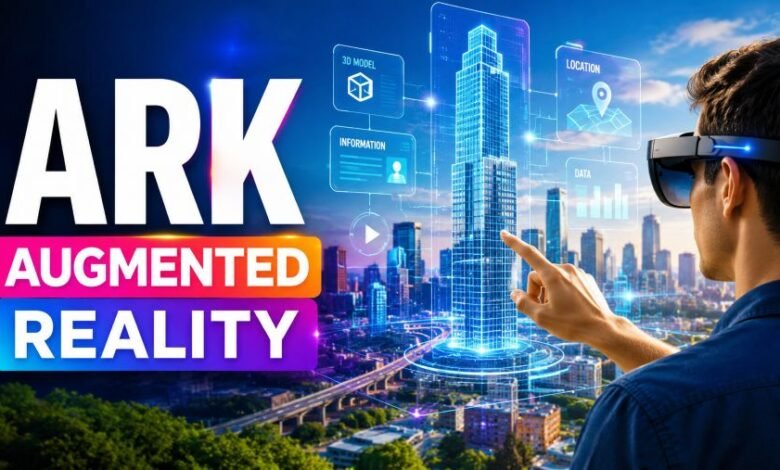
Augmented reality normally places digital objects, text or images over a live view of the physical world. The technology can work through smartphones, tablets, smart glasses and headsets.
ArK takes this idea further by combining mixed reality with artificial intelligence, computer vision and stored knowledge. Its aim is to help an AI system understand an unfamiliar environment and create suitable two-dimensional or three-dimensional scenes without collecting a large new training dataset for every task.
What Is ArK?
ArK is the name of an artificial intelligence research framework presented in a computer-vision paper in May 2023. The official research title is ArK: Augmented Reality with Knowledge Interactive Emergent Ability.
Inside the research, ArK is described as Augmented Reality with Knowledge Inference Interaction. It is designed to transfer useful knowledge from large foundation models into new physical or virtual environments.
The term is sometimes written online as “ARK”. However, the researchers use the stylised spelling ArK.
It is important to understand that ArK is not presented as a normal consumer application, mobile game or headset that people can simply buy and download. It is mainly an experimental AI approach for understanding, generating and editing scenes.
Quick Overview
| Detail | Information |
|---|---|
| Official spelling | ArK |
| Technology type | AI and mixed-reality research framework |
| Main purpose | Understanding and generating scenes in unfamiliar environments |
| Key technologies | Foundation models, computer vision, knowledge memory and mixed reality |
| Research area | Computer vision and pattern recognition |
| First paper submitted | 1 May 2023 |
| Possible applications | Gaming, simulations, virtual worlds and interactive 3D experiences |
| Consumer product | No publicly identified standalone consumer product |
The paper was created by Qiuyuan Huang, Jae Sung Park, Abhinav Gupta, Paul Bennett, Ran Gong, Subhojit Som, Baolin Peng, Owais Khan Mohammed, Chris Pal, Yejin Choi and Jianfeng Gao.
How Does ArK Work?
Traditional augmented-reality systems use cameras and sensors to examine the physical environment. The software tracks surfaces, objects, movement and the user’s position before placing digital content in the correct location.
AR devices may use cameras, GPS, accelerometers, gyroscopes or depth sensors. The software processes this information and renders digital content from the correct angle so that it appears to exist inside the real scene.
ArK adds another layer to this process: knowledge from large AI models.
1. The system observes the environment
A camera or mixed-reality device records the physical surroundings. The system may need to identify objects, surfaces, spaces and relationships between different items.
For example, it should understand the difference between a chair, a table, a wall and an open area.
2. AI interprets the scene
Computer-vision and multimodal models examine what the device can see. The goal is not only to detect objects but also to understand their meaning and how they relate to one another.
3. Knowledge memory is used
Instead of training a completely new model for every unknown place, ArK attempts to transfer knowledge from general foundation models such as GPT-4 and DALL-E.
The researchers call this use of stored information “knowledge-memory”. It may help the system respond to environments or tasks that were not included in its original training examples.
4. A digital scene is created or edited
The system can then generate or modify 2D and 3D scenes according to the environment, task or user request.
The research team tested the approach on scene-generation and scene-editing tasks. They reported that combining ArK with foundation models improved generated scene quality compared with the baselines used in their study.
5. The experience changes through interaction
A more advanced mixed-reality system should not place a fixed digital image in front of the user. It should react when the user moves, gives an instruction or changes the surrounding environment.
This type of interaction could make virtual objects feel more connected to the physical space.
What Makes ArK Different from Normal AR?
Normal AR usually focuses on displaying digital content over the real world. A furniture application, for example, may place a virtual sofa inside a room. A navigation application may show arrows over a street.
ArK focuses more strongly on intelligence, knowledge transfer and scene generation.
Its main research goal is to reduce the need to gather a large specialised dataset whenever an AI agent enters a new environment. The system tries to reuse broader knowledge learned by foundation models.
| Standard AR | ArK approach |
|---|---|
| Places digital content over reality | Combines digital content with AI knowledge |
| Often follows fixed rules | Tries to adapt to unfamiliar situations |
| May use pre-built 3D objects | Can support AI-generated scene content |
| Usually built for one defined task | Designed to transfer knowledge across tasks |
| Focuses on display and tracking | Focuses on understanding, generation and interaction |
Possible Uses of ArK Technology
Gaming
Game developers could use similar systems to generate characters, objects or environments that react to the player’s physical surroundings.
A room could become part of a game without every wall, table and object being manually programmed in advance.
The original research specifically identifies gaming simulation as a possible area for this approach.
Virtual Worlds
ArK may support virtual environments that are created or changed through natural instructions.
Users could ask an AI system to add buildings, furniture, characters or interactive objects to a scene. The model could use its stored knowledge to produce a suitable result.
Education and Training
Similar intelligent AR systems could display interactive models, instructions and simulations inside classrooms or workplaces.
Augmented reality is already used for educational models, industrial instructions and training. An AI knowledge layer could make these experiences more flexible and responsive.
Product Design
Designers may eventually use knowledge-based mixed reality to test ideas in physical spaces.
A designer could view a digital product at its intended location, ask the system to alter its shape and compare several versions without building a physical prototype.
Manufacturing and Maintenance
AR systems can support industrial workers by displaying instructions, equipment information and digital twins over real machinery. A knowledge-aware system could potentially adjust those instructions according to the machine, problem or working environment.
Retail
Retailers already use AR to let customers view furniture, clothing, cosmetics or other products before buying them.
More advanced AI integration could generate personalised product layouts or provide information based on the customer’s room, preferences and surroundings.
Main Benefits
One important benefit is adaptability. The approach is designed to work with new scenes rather than requiring complete training for every environment.
Another possible benefit is faster content creation. AI-generated objects and scenes may reduce the amount of manual 3D design needed for some mixed-reality projects.
It may also improve interaction. A system that understands both the environment and the user’s instructions could produce experiences that feel more natural than fixed overlays.
Finally, knowledge transfer may allow one system to support several roles, tasks or environments instead of being restricted to a single narrow use.
Current Limitations
ArK should not be treated as a finished, widely available commercial platform. The publicly available material mainly describes a research method and its experimental results.
Real-world deployment would also face several broader AR and AI challenges:
- Cameras and sensors must understand the environment accurately.
- Generated objects must remain correctly positioned as the user moves.
- AI-generated information may be inaccurate or unsuitable.
- Complex scene generation can require significant computing power.
- Wearable devices may have limits involving comfort, battery life and processing speed.
- Camera-based systems can raise privacy and data-security concerns.
- Different rooms, lighting conditions and physical objects can affect performance.
Research reviews of augmented reality have also identified hardware, software, usability and system-design limitations that can slow wider adoption.
Is ArK the Same as ARKit or ARCore?
No.
ARKit is Apple’s development framework for creating augmented-reality experiences on supported Apple devices.
ARCore is Google’s platform for building AR experiences on supported Android devices.
ArK is an AI research approach focused on knowledge transfer, scene understanding and generative mixed reality. It is not a replacement name for ARKit or ARCore. IBM identifies ARKit and ARCore as tools that developers use when creating mobile augmented-reality applications.
Is ArK Available to Download?
The research sources do not identify a standalone public consumer application called ArK that offers the complete system described in the paper.
People searching for an ARK download should therefore check the exact developer, publisher and product name. Several unrelated projects use “Ark” in their names, so they may not be connected to this research.
Why Is This Technology Important?
Modern AI models contain broad knowledge, but using that knowledge reliably inside a changing physical environment remains difficult.
ArK explores a possible solution by connecting foundation-model knowledge with scene observation, generation and interaction. The larger idea is to create digital agents that can enter unfamiliar environments and still complete useful tasks.
This could move augmented reality away from simple filters and fixed overlays towards environments that understand context and respond intelligently.
Frequently Asked Questions
What does ArK mean in augmented reality?
In the research paper, ArK refers to Augmented Reality with Knowledge Inference Interaction. It uses knowledge memory from foundation models to support scene understanding and generation.
Is ArK a mobile application?
The official research material presents it as an experimental AI and mixed-reality framework, not as a standard consumer mobile application.
Who developed ArK?
It was developed by a group of researchers including Qiuyuan Huang, Jae Sung Park, Abhinav Gupta, Yejin Choi and Jianfeng Gao, along with several other contributors.
When was the ArK paper released?
The first version was submitted to arXiv on 1 May 2023.
Can ArK create 3D scenes?
The researchers tested the approach on both 2D and 3D scene-generation and editing tasks.
Does ArK use artificial intelligence?
Yes. Its central idea involves transferring knowledge memory from large foundation models into physical or virtual scene tasks.
Can it be used for gaming?
Gaming simulation and metaverse-related environments are among the possible applications mentioned by the researchers.
Is ArK the future of augmented reality?
It represents one possible direction for intelligent mixed reality. However, more testing, engineering and real-world validation would be needed before describing it as a mature consumer technology.
Final Thoughts
ArK is an interesting step towards augmented reality that does more than display digital objects. It explores how AI knowledge can help a system understand unfamiliar scenes, generate suitable content and respond to new situations.
Its greatest potential lies in combining physical spaces with intelligent digital creation. Gaming, training, design, retail and virtual worlds could all benefit from similar technology.
However, the most accurate description today is that ArK is a research framework rather than a finished consumer product. Its long-term impact will depend on future development, reliable hardware, accurate AI models and practical real-world applications.