AI Music Production for Beginners: A Simple Guide to Making Your First Track
Learn how AI can help you create beats, melodies, lyrics, vocals, and complete songs even when you have little or no music production experience.

Introduction
Making music once required instruments, recording equipment, music theory knowledge, and expensive studio software. Today, artificial intelligence has made the starting point much easier.
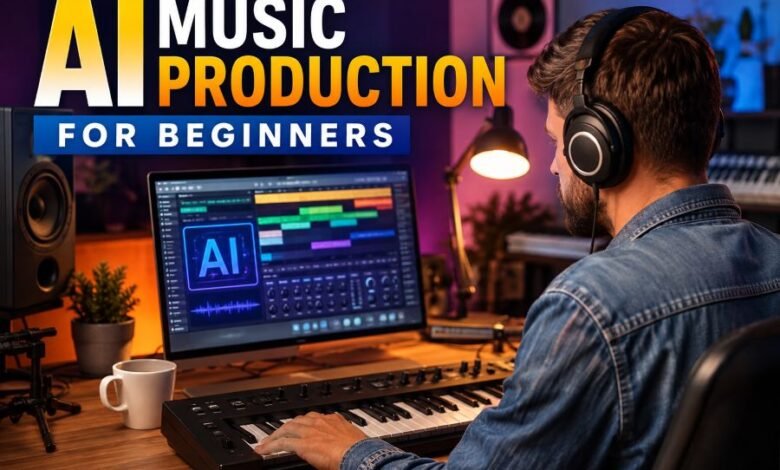
AI Music Production for Beginners is about using artificial intelligence as a creative assistant while making music. AI tools can suggest melodies, create beats, generate song ideas, help with lyrics, work with MIDI, and in some cases produce a complete song from a written description.
Some modern platforms are designed specifically to make this process simple. BandLab’s SongStarter, for example, can generate customizable musical ideas, while its AI Smart Tools can help people create and modify MIDI compositions. Udio allows users to describe the type of song they want using a prompt and provides editing tools for changing parts of generated music.
The important point is that AI does not have to replace creativity. A beginner can use it to move from an idea to a rough song faster, then make personal decisions about the lyrics, arrangement, instruments, vocals, and final sound.
Quick Facts
| Topic | Simple Explanation |
|---|---|
| What is AI music production? | Using AI tools to help create or edit music |
| Is it suitable for beginners? | Yes, many tools are designed for simple prompting and editing |
| Can AI make beats? | Yes |
| Can AI create melodies? | Yes |
| Can it help with lyrics? | Yes |
| Can beginners edit AI music? | Yes, depending on the platform |
| Is a traditional studio required? | No, many tools work through a browser or mobile app |
| Can AI-generated songs be monetized? | Sometimes, depending on the platform, plan, and rights attached to the music |
| Does commercial permission automatically mean copyright? | No |
| Best beginner approach | Use AI for ideas, then add your own creative decisions |
What Is AI Music Production?
AI music production means using software powered by artificial intelligence to assist with different parts of making a song.
Instead of manually creating every drum hit, chord, melody, or arrangement from the beginning, you may give the software instructions.
For example, a beginner might enter:
“Create a calm piano track with soft drums, warm bass, and a peaceful evening mood.”
The AI system can use those instructions to create a musical result.
Modern music generators can respond to information such as genre, mood, instruments, subject, and lyrical ideas. Udio’s own prompting guidance, for example, recommends describing elements such as mood, genre, instruments, and lyrics to guide the result.
This makes AI useful for people who have musical ideas but do not yet know how to turn them into finished tracks.
What Can AI Help You Do?
AI is now involved in several parts of digital music creation.
Generate Song Ideas
One of the easiest uses is finding inspiration.
A new producer may know that they want to create music but have no idea how the song should begin.
AI can suggest:
- chord progressions
- melodies
- beats
- musical moods
- arrangements
- possible song directions
BandLab describes SongStarter as an AI-powered idea generator that provides customizable song ideas across different genres.
This can help when you are facing creative block.
Create Beats
A beat forms the rhythmic foundation of many styles of music.
Hip-hop, pop, electronic music, trap, dance music, and many other genres depend heavily on rhythm.
Beginners can use AI-generated ideas as a starting point instead of building every drum pattern manually.
You can then change the tempo, percussion, bass, structure, or other elements to make the result more personal.
Build Melodies and Chords
Writing a memorable melody can be difficult when you are still learning music theory.
AI can provide a starting melody or chord progression.
The better approach is not simply accepting the first result.
Listen carefully.
Change notes.
Try another instrument.
Adjust the rhythm.
Combine ideas.
Your own decisions are what help turn a generated starting point into a piece of music that feels more personal.
Help With Lyrics
Some music generators can also create lyrics from a description or theme. Udio, for example, provides an option to generate lyrics based on a song description, while also allowing creators to use their own lyrics.
Imagine that you want a song about travelling away from home.
You could ask for ideas around:
- missing family
- discovering a new city
- loneliness
- excitement
- memories
- returning home
AI may provide a first draft, but editing the words yourself can make the song sound more natural and meaningful.
A Simple AI Music Production Workflow for Beginners
You do not need to learn everything at once.
A simple process is usually better.
Step 1: Choose Your Song Idea
Start with one clear idea.
Ask yourself:
What kind of song am I making?
For example:
Genre: Pop
Mood: Happy
Tempo: Medium
Main instruments: Guitar, drums, bass
Subject: Summer friendship
This gives the AI clear creative direction.
Step 2: Write a Detailed Prompt
The quality of your instructions can influence the direction of the generated music.
Instead of writing:
“Make a good song.”
Try:
“Create an upbeat modern pop song with acoustic guitar, light electronic drums, warm bass, and a happy summer mood.”
Clear prompts usually make it easier to communicate the result you want. Udio’s official prompting guidance similarly recommends organizing descriptions around important musical characteristics instead of simply adding random words.
Step 3: Generate More Than One Version
Do not expect the first generation to be perfect.
Generate several ideas.
Compare them.
Maybe one version has a better melody while another has a stronger rhythm.
The goal is to discover useful musical material rather than treating every AI output as a finished song.
Step 4: Edit the Best Idea
Now begin adding human decisions.
You might:
- shorten the introduction
- change the chorus
- replace lyrics
- adjust instruments
- change the mood
- modify the arrangement
- add your own vocal
- record guitar or piano
- change MIDI notes
Several modern platforms provide tools for continuing or editing generated ideas. Udio, for example, currently provides music and lyric editing features for eligible users, while BandLab’s Smart Tools are designed to help create and modify MIDI material.
This editing stage is where your musical identity can become much stronger.
What Is a DAW?
As you become more interested in music production, you will probably hear the term DAW.
DAW means Digital Audio Workstation.
It is software used to record, arrange, edit, and mix music.
A DAW allows you to work with elements such as:
- audio recordings
- MIDI
- virtual instruments
- drums
- effects
- vocals
- automation
- song arrangements
Beginners do not need to master every feature immediately. Start with basic recording, arranging, volume control, and simple editing.
BandLab Studio, for example, combines tools such as virtual instruments, drum creation, vocal processing, and AI-assisted idea generation inside its music-making environment.
AI Generation vs Traditional Music Production
AI and traditional production do not need to compete.
They can work together.
Traditional production gives the creator detailed control. AI can speed up brainstorming and help people experiment with ideas they might not have considered.
A useful beginner workflow might look like this:
Human idea → AI suggestion → human editing → recording → arrangement → mixing → final song
This approach keeps the creator involved instead of depending completely on automatic generation.
Do You Need Music Theory?
You can begin without advanced music theory.
That is one reason AI music tools are attractive to beginners.
However, learning basic musical concepts can greatly improve your decisions.
Start with:
- rhythm
- tempo
- major and minor chords
- scales
- song structure
- melody
- harmony
You do not need to become an expert before making music.
Learn one concept, use it in a song, and continue improving.
Can You Make a Complete Song With AI?
Yes, some generative music platforms can produce complete song ideas from prompts, including instrumental and vocal elements.
But creating a generated track and producing a strong original song are not always the same thing.
A creator can improve the result by adding personal lyrics, changing arrangements, recording original performances, selecting better sections, and making detailed editing decisions.
That human involvement is also important when copyright enters the discussion.
AI Music Copyright and Ownership
This is one of the most important parts of AI Music Production for Beginners.
Do not assume that generating a song automatically gives you every possible legal right.
Commercial-use permission, ownership under a platform’s terms, and copyright protection are different questions.
For example, Suno currently states that songs created while subscribed to its qualifying paid plans receive commercial-use rights. Music created on its free Basic plan is generally intended for non-commercial use. Suno also clearly notes that receiving commercial rights does not guarantee that a work qualifies for copyright protection.
In the United States, the Copyright Office’s January 2025 report explains that AI-assisted work can still receive protection when AI is being used as a tool in a human creative process. However, material created entirely by AI without sufficient human authorship cannot receive copyright protection under current U.S. copyright principles. The Office also said prompts alone are generally unlikely to provide enough human authorship by themselves.
Rules can differ between countries and platforms, so creators planning commercial releases should always check the current terms of the service they use.
Should You Use Your Own Lyrics?
Using your own lyrics is a good way to put more personality into a song.
Instead of asking AI to create everything, try writing:
- your own chorus
- personal stories
- original phrases
- emotional details
- character names
- places
- memories
Then use AI to help explore musical arrangements around those ideas.
This creates a stronger connection between the person and the final work.
Common Mistakes Beginners Should Avoid
Accepting the First Result
AI generation is experimentation.
Try different versions before choosing one.
Using Very Vague Prompts
“Make music” gives little direction.
Genre, mood, instruments, tempo, vocals, and theme can make your intention much clearer.
Copying a Famous Artist Too Closely
Build your own musical direction instead of trying to recreate another person’s protected work or identity.
Focus on general characteristics such as:
“slow atmospheric electronic music with soft piano and deep drums”
rather than trying to copy one particular recording.
Ignoring Platform Rights
Always understand how a service treats free and paid generations before monetizing or distributing music.
Terms can change over time.
Letting AI Make Every Decision
AI can generate endless possibilities, but creativity also involves choosing.
Ask yourself:
Does the chorus feel right?
Is the song too long?
Does this lyric make sense?
Should the drums be softer?
These decisions turn music production into a creative process rather than simple automatic generation.
How to Make AI Music Sound More Original
Personal input matters.
Start with AI-generated material and then change it.
Try adding:
- your own vocals
- recorded instruments
- original lyrics
- unusual sound effects
- different drum patterns
- custom MIDI
- new chord changes
- pauses and transitions
- your own song structure
You can also combine several ideas rather than using one generation exactly as it appears.
Think of AI as an assistant sitting beside you, not the artist making every decision for you.
Is AI Music Production Good for Beginners?
For many new creators, yes.
It can remove some technical barriers at the beginning and allow people to experiment with music before they have mastered advanced production skills.
Tools such as SongStarter are specifically designed to help users generate starting ideas, while newer MIDI-focused AI tools can help people experiment without needing advanced composition knowledge.
But learning basic production skills remains valuable.
The strongest long-term combination is:
AI speed + human creativity + music production knowledge
Frequently Asked Questions
Can a complete beginner make music with AI?
Yes. Many AI music platforms use simple text instructions, making them accessible to people who have never produced music before.
Do I need expensive equipment?
Not necessarily. You can begin with a computer or compatible mobile device and headphones. More equipment can be added later as your skills improve.
Can AI create lyrics and vocals?
Some generative music systems can create lyrics or vocal-based music, while others focus more on melodies, beats, MIDI, or production assistance.
Can I sell AI-generated music?
Possibly, but you must check the exact terms of the platform and plan used to create it. Commercial permission should not be confused with copyright ownership.
Is AI-generated music automatically copyrighted?
Not necessarily. In the United States, copyright protection continues to require human authorship. AI-assisted human creativity may qualify, while fully AI-generated material without sufficient human authorship does not.
What should a beginner learn after using AI?
Learn basic song structure, rhythm, MIDI, recording, EQ, compression, mixing, and eventually mastering.
These skills give you much more control over your sound.
Final Thoughts
AI Music Production for Beginners makes entering the world of digital music easier than it once was.
You can begin with a simple idea, describe the sound you want, generate several possibilities, and then shape the best material through your own creative decisions.
AI can help with inspiration, beats, melodies, MIDI, lyrics, and complete musical ideas. But the most valuable skill remains knowing what you want your music to communicate.
Use artificial intelligence to explore possibilities.
Then add your own choices, stories, recordings, and personality.
That is how a simple generated idea can develop into music that feels much more like your own.