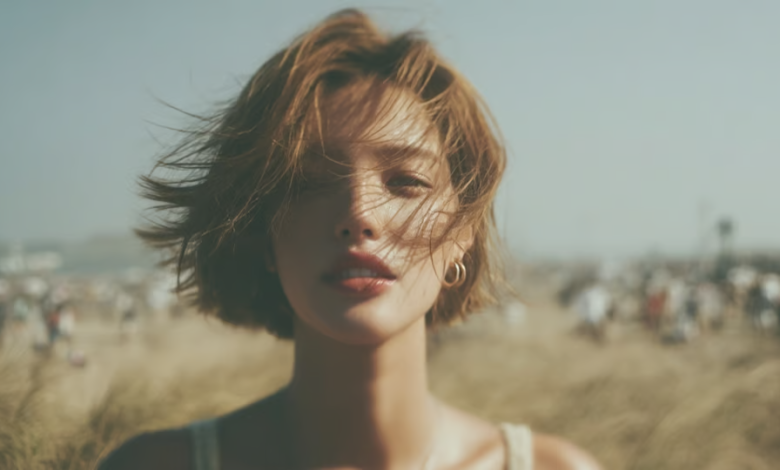
Spotify Canvas loops are short looping visuals that help make music releases memorable. These moving images complement the viewer’s experience and can amplify the artist’s artistic voice. With AI, creating seamless loops is easy, as it produces synced animation with uniform visual quality. Framia Pro is a comprehensive AI-driven creative tool that combines advanced AI models, beat alignment features, conversational editing tools, and flexible workflows to simplify the production of compelling, refined visuals similar to Spotify Canvas, but without the need for traditional production processes.
Spotify Canvas Loops: Definition, Purpose, and Creative Benefits
Spotify Canvas loops are brief, vertical, and recurring patterns that are played throughout a song. The videos are not actually typical music videos, but instead highlight small motion instead of fancy storytelling. By using gentle animation, the viewer’s attention can be held for a longer period of time, and their emotional connection with the music can be enhanced. Successful loops are visually consistent, have smooth movement, and great artistic direction. This creative process is streamlined by AI, which can analyze prompts, ensure character consistency, coordinate movements with the rhythm, and generate smooth playback without the need for high-level editing skills, all while accommodating various music styles.
Key Design Principles for Engaging Spotify Canvas Animations
Some controlled movement, some balance in composition, some direction in art, to produce some interesting Spotify Canvas loops, with no distracting jumps from final to opening shots! The use of rhythm in movement establishes more emotional ties to each of the music’s sections. In some instances, it is preferable to have fewer movements in the animation than many things going on in the picture. Multiple playbacks enhance recognition with consistent lighting and color schemes. Yet another benefit for contemporary creators is that the photo to video AI free can make video loops from photos, which means polished, looping videos made from static photos, with continuity of visuals and natural movement throughout the video.
Spotify Canvas Visual Styles You Can Make With Framia Pro
Framia Pro provides different creative options and keeps consistency throughout all the sequences produced. It can be used for a wide range of genres, and it doesn’t sacrifice playback or artistry. Though the name “short-form” is synonymous with an AI TikTok video generator, the same smart motion technologies are responsible for crafting refined Spotify Canvas visuals, with beat-sensitive animation, storytelling sync, and scene control.
Some popular Canvas-style methods are:
- Album art that moves in small ways with the environment.
- Graphical movement in response to music beats.
- Very limited film loops for emotional compositions.
- Animated characters and visuals with a digital performer in a realistic way.
- Make abstract art following a musical sequence.
- Reinforcement of the mood of each track by atmospheric environments.
Building Loop-Friendly Visuals With Framia Pro
The key to good looped visuals is that there should be constant action and no major scene changes. Framia Pro automatically detects beats in music and then creates rhythm in each frame. Motion synthesis makes sure there are no rough edges and preserves character appearance and artistic style during this process. AI storyboarding provides a framework for brief, natural video stories suitable for Canvas’ length. Conversational editing allows for light background, pacing, or visual details to change with a simple conversation, without the need to build the show again.
Framia Pro Canvas: An AI Hub for Music Marketing and Content Creation
Framia Pro Canvas is a marketing studio that has a smart workflow builder as its core. Creators use natural language to write creative goals, instead of setting up production stages themselves. The platform automatically sequences the nodes of connected workflows that generate branded copy, visuals, promotional graphics, voiceovers, music, and even complete videos. The built-in editing environment brings all the elements together to create one cohesive project, while integrated AI models manage various production tasks. This streamlined workflow minimizes duplicate tasks and maintains creative assets in an orderly fashion throughout the production process from concept through export.
Steps to Make Spotify Canvas Loops With the Best AI Music Video Generator
Want to make short looping visuals for your Spotify tracks? Follow these steps and create eye-catching AI-generated Canvas videos that match your music style.
Step 1: Access Node flow through the “Get Started” menu
- Open Framia Pro’s dashboard and click the “Get started” option from the left-hand panel.
- After that, access the new “Node flow” feature available within Framia Pro.
- This workflow allows you to adjust your Spotify Canvas loop at any point during the creation process.
Step 2: Upload your song and create a looping visual prompt
- Start by selecting the “+” icon and choosing the “Video” option.
- Next, upload your music track by clicking the “+” tab.
- Then, provide a detailed prompt explaining the looping animation, visual effects, and style you want.
- After that, select the AI model you want for generating your Canvas loop.
- In the “Models” menu, choose from models such as “Seedance”, “Kling”, “Veo”, “Wan” or “Gemini”.
- Next, select the required aspect ratio, video duration, and video resolution from the “Settings” tab.
- Finally, click the “Generate” tab to start creating your Spotify Canvas loop.
Step 3: Edit your Canvas loop and save the final video
- Framia Pro will start the generation process, and after completion, you can “Preview” your Spotify Canvas video.
- You can edit your loop using “Crop”, “Trim”, “Extract frame”, “Upscale video”, or adjust it further with the “Video editor”.
- After finalizing your Canvas loop, click the “Download” tab available in the top menu to save the video file on your device.
Framia Pro Features for Creating Spotify Canvas Content
Framia Pro has sophisticated capabilities that will permit you to make pro canvas production with ease while providing creative flexibility. The visual Node Flow workspace represents all production steps in a workflow that can be edited. AI music video agents are dedicated to generating storyboards, analyzing rhythms, and creating scenes. Several top AI models can cater to various art styles without having to use different software—intelligent beat matching natural syncs with musical timing. The aspect ratios and export options are flexible, ensuring projects can be streamed on various platforms with visual clarity and consistent framing and playback quality on supported devices.
How to Achieve Smooth and Consistent Spotify Canvas Playback
Successful Canvas loops are about repetition, not visual variation. Special care has been taken for the opening and closing frames so that there is no interruption in continuous playback. Perhaps simple compositions work better than the “too much” ones, as the same animation is viewed again and again. More musical than random visuals: Rhythm-based motion. With the best AI music video generator or manual creation, the lighting, colors, and artistic style are maintained, ensuring a professional appearance with every repetition. Running through finished loops prior to exportation can help identify issues with transitioning, pacing, or distracting issues that need to be resolved before adding the finished visual and publishing it with a music release.
Common Spotify Canvas Loop Creation Errors to Avoid
Some production errors detract from otherwise nice Canvas graphics. Loops will instantly be revealed upon sudden cuts and will break the immersion. Too much visual creates a distraction and not an enhancement to the music. Without beat syncing, the emotional impact is lessened since animation is no longer flowing with music. If a camera is moving around a lot, it can become tedious after several repetitions. Different art forms may make it more difficult for people to see what is in each frame. Without quality control, compression artifacts, poor framing, or any other unwanted visual irregularities may exist that will affect the final presentation.
Conclusion
The Spotify Canvas loops are ideal for adding a bit of motion and continuous visual storytelling to a music release. Memorable listening experiences, carefully synchronized motion, consistent artistic direction, and smooth looping are the result, without overwhelming the audience. Framia Pro simplifies this workflow with AI-powered beat sync, motion synthesis, organization via the Node Flow, conversational editing, and flexible export options. The built-in features enable refined Spotify Canvas-like visuals, simplify production processes, and help creators ensure a consistent level of quality in each finished looping animation.
READ ALSO: Growth Navigate Funding: A Simple Guide for Startups and Growing Businesses